
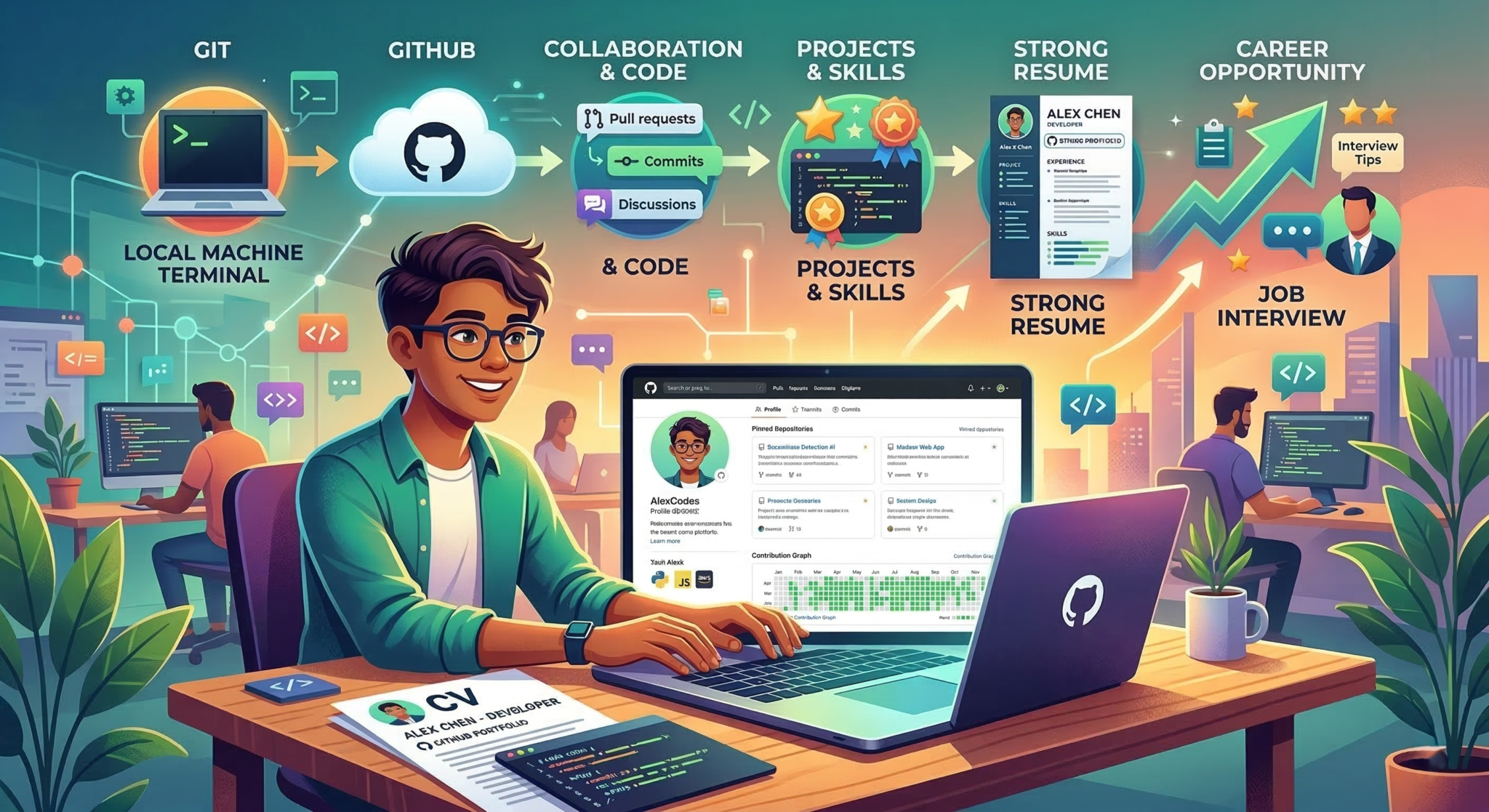
With well over 100 million users, GitHub is the undisputed centre of the open-source and collaborative software development world. Programmers rely on it daily to build, store, and share projects. But beyond being a functional tool, GitHub has evolved into something much more valuable for job seekers: a premium, verifiable portfolio.
In today’s competitive tech job market, simply listing languages and frameworks on a piece of paper is rarely enough. Hiring managers want proof. Integrating a well-maintained GitHub profile into your resume gives you a distinct advantage, showing exactly how you write, read, and manage code in the real world.
What Exactly is GitHub?
To understand why employers care about GitHub, you need to understand what it actually does.
GitHub provides cloud-based hosting for developers using Git, an industry-standard version control system for tracking changes to code over time. Think of it as an incredibly advanced ‘Track Changes’ feature specifically designed for software. It allows multiple programmers to work on the same project simultaneously without overwriting each other’s work.
Developers use GitHub to store project files, manage application versions, and collaborate. If you are building a web application, you can host the source code on GitHub, track every modification you make, and easily revert to a previous version if something breaks. This creates a clear, transparent history of how a project was built, allowing others to review, troubleshoot, and improve your solutions.
What is the Difference Between Git and GitHub?
While often used interchangeably, Git and GitHub are entirely different entities that work together to streamline development.
Git is the underlying version control software installed locally on your computer. It manages your code’s history and meticulously tracks every change you make. However, Git itself does not provide a graphical interface or a central server for sharing your work with others.
That is where GitHub comes in. GitHub is a cloud-based hosting service that holds your Git repositories. If Git is the engine tracking your code, GitHub is the online showroom and collaborative workspace where developers come together to discuss, review, and merge those changes. You use Git locally to commit your changes, and then you “push” them to GitHub so the rest of your team can see them.
There are other platforms available besides GitHub. Other services, such as GitLab and Bitbucket, offer similar cloud-hosting and collaboration features built on Git. GitLab is highly regarded for its built-in continuous integration and deployment (CI/CD) pipelines, while Bitbucket integrates exceptionally well with Jira and other Atlassian enterprise tools. Regardless of the platform a company uses, mastering Git and showcasing your work on a central hub like GitHub demonstrates that you understand the universal principles of modern version control.
Tailoring Your GitHub Strategy to Your Career Stage
How you present your GitHub profile should evolve as your career progresses.
For Entry-Level Applicants
Focus on demonstrating foundational competence. Your goal is to show that you can build complete, functional projects, accept feedback, and follow standard formatting rules. Ensure your projects are well-documented. A junior developer with a beautifully written README file is highly employable because it shows they care about the end-user and their teammates.
For Mid-Career Applicants
At this stage, employers are looking for adaptability and complex problem-solving. Use GitHub to showcase how you handle advanced architecture, integrate third-party APIs, or learn new programming languages. Even if a project built in a new language isn’t flawless, it proves you have the agility to adapt to different tech stacks.
For Seasoned Professionals
Senior engineers should use GitHub to display leadership. This might involve maintaining popular open-source libraries, writing comprehensive documentation, or actively helping and mentoring junior developers with project issues and pull requests. Also, showcasing a complex personal “passion project” demonstrates that you are still innovating and engaged with the rapidly changing tech industry.
The Benefits of Showing Your Work on GitHub
Linking your profile offers several massive advantages that a traditional resume simply cannot match.
1. It Proves You Can Write Clean Code
It is easy to claim you are proficient in Python or JavaScript; it is entirely different to show a fully functioning application you built from scratch. GitHub provides tangible evidence of your abilities, which is especially critical if you do not yet have formal professional experience.
Sharing your code can feel intimidating—you might worry it isn’t perfect. Do not let that stop you. In technical interviews, discussing what you would do differently or how you plan to refactor a messy piece of code demonstrates self-awareness and a critical, engineering mindset.
2. It Shows You Can Read and Review Code
Writing code is only half the job; reading other people’s code is often much harder. When you contribute to existing projects on GitHub, you signal to employers that you can navigate unfamiliar codebases.
You can highlight this skill by:
- Collaborating on diverse, open-source projects.
- Reviewing pull requests from other developers.
- Stepping out of your comfort zone to fix bugs in frameworks you are currently learning.
Employers are far more likely to hire someone who already knows how to read and interpret complex, inherited code.
3. It Highlights Your Collaboration Skills
Modern software development is a team work. DevOps teams rely heavily on smooth collaboration. By participating in GitHub communities, you demonstrate that you know how to work in a team environment.
A well-used GitHub account shows employers that you understand:
- How to accept and implement constructive feedback through code reviews.
- How to leave polite, useful feedback for others.
- How to write clear commit messages that explain why a change was made, not just what was changed.
4. It Confirms Your Version Control Proficiency
While not every single company uses Git (some might use alternatives like Helix Core or AWS CodeCommit), it is by far the industry standard. A candidate who already knows how to branch, merge, and resolve conflicts in Git requires significantly less onboarding time. Even if a company uses a different system, the core concepts of version control transfer easily.
5. It Demonstrates Genuine Interest in the Craft
Developers who spend their free time contributing to open-source software often possess a strong passion for problem-solving. Dedicating time to improve tools or build side projects without financial compensation shows a level of commitment to the tech industry that easily sets you apart from candidates who only code when they are on the clock.
How to Feature GitHub on Your Resume
Adding GitHub to your resume is simple, but execution matters. Your profile link should sit prominently in the header of your document, right next to your email address and LinkedIn URL. If you are submitting a physical or PDF resume, ensure the URL is written out fully and clearly (e.g., github.com/yourusername).
However, linking to your profile is only the first step. Your GitHub acts as a developer-specific social network and portfolio combined. A strong profile features pinned repositories (your best work) and well-crafted README documents.
Introduced as a way to personalise your presence, a Profile README is a Markdown file that sits at the top of your GitHub page. It acts as the ultimate developer introduction. Instead of forcing a hiring manager to dig through your repositories to figure out what you do, you can use this space to explicitly state your current tech stack, highlight your best work, and detail what you are currently learning.
Take, for instance, a developer transitioning their career focus towards Artificial Intelligence. Instead of simply listing “Computer Vision” on a CV, they can use their Profile README to pin a robust, flagship repository—such as a Progressive Web App that detects driver drowsiness via on-device processing. Providing immediate, undeniable proof of complex capabilities, like a privacy-first AI deployment, is infinitely more powerful than a bullet point on a CV.
Common Mistakes to Avoid
While the benefits are clear, an uncurated GitHub profile can occasionally work against you. Keep these factors in mind:
Older, Messy Work May Be Misinterpreted
We all start somewhere, and early code is rarely our best. If your profile is filled with half-finished, messy projects from years ago, an employer might mistake that for your current skill level.
You do not need to delete old work. Simply use GitHub’s “Pin” feature to highlight your top 4-6 best, most recent projects at the top of your profile. Add a note in older README files explaining that it was an early learning project.
Over-Reliance on Forking
If your profile consists entirely of “forked” projects (copies of other people’s work) where you have made zero original contributions, it looks like you are trying to artificially inflate your activity.
If you fork a project, ensure you are actually contributing to it or using it as a heavily modified base for something new. Always highlight what you built and learned.
The “Green Square” Anxiety
GitHub features a contribution graph that lights up green when you are active. Long periods of inactivity can sometimes be misconstrued as a lack of interest.
Do not panic over a few blank months. If asked during an interview, simply be honest. You might have been working under a strict Non-Disclosure Agreement (NDA) on a private enterprise server, focusing on university exams, or simply taking a well-deserved break.
Taking the time to polish your GitHub profile ensures you make a strong first impression. Recruiters and technical interviewers can then judge the quality, organisation, and presentation of your code.